Archive

March 2020

Browsing

Many people think that the commands on a mac vary greatly from a windows pc. However, this is not always the case. Learn usage with this guide for mac users.

Apple offers a computer for just about any scenario. The Mac mini is a budget-friendly option for college students while the Mac Pro is one of the top options for creative pros.

If you’re new to the Mac ecosystem, you’re in for a long list of pleasant surprises. Check out this guide for Mac users to learn how to get the most out of your Apple experience.

System Preferences

System preferences allow you to customize the operating system on your Mac. This is the menu you use when you first set up your computer and need things like parental controls in place.

The system preferences menu includes shortcuts to important tasks like printer setup, security & privacy, and software updates.

Expect this menu to change with software updates as Apple adds or removes certain features. But this is where you go to control your overall experience on the computer.

Choose to add or remove widgets from the desktop or mission control. For example, you can customize notifications to alert you of new calls without interrupting what you’re doing on the computer. Choose from a banner to a full alert inclusive of a description of the notification. This is especially helpful when receiving texts through iMessage.

You might not want to know the contents of the text message right away to avoid getting distracted at work so you can adjust it to a banner to stay focused.

Access the system preferences menu by clicking the Apple icon in the top left corner or through your shortcut toolbar.

Customize Finder

One of the biggest similarities between PC and Mac is the way Finder resembles Windows. Finder is accessed through the shortcut toolbar at the bottom of your home screen.

This blue smiley face icon opens up a menu of programs organized by category. On the left-hand menu are the destinations where each file is located.

On the right are the documents, applications, or other media stored in that destination. For example, if you have Dropbox downloaded to your desktop, it will appear as a destination on the left-hand column of the Finder window. Click ‘Dropbox’ to open up folders from your Dropbox account. The Finder window is customizable allowing you to choose which destinations appear as ‘Favorites’ on the menu.

To change which items appear in your sidebar, click ‘Finder’ then ‘Preferences’ to add and remove the destinations that make the most sense for your browsing needs.

There are color-coding options available to help keep documents and folders organized within the Finder window. Instead of the ‘Programs’ menu, Finder organizes programs you download to the ‘Applications’ menu.

This is the menu where Apple’s native software is located if it isn’t already pinned to the shortcut menu.

How to Use Safari

Internet Explorer is to Windows what Safari is to Mac. Apple uses Safari as its default web browser across devices.

With the web address or URL, you can navigate the world wide web using Safari. Follow these steps to get started:

  1. Click ‘Safari’ from the Dock or the Finder menu.
  2. Click the blank grey address bar at the top center of the window.
  3. Type in the website address of the destination and click return.

The toolbar in Safari can also be used as a search bar. When you enter a phrase or keywords, Google search results appear. Safari allows you to add browser extensions called plug-ins. These plug-ins are helpful for tasks like blocking ads or enhancing one of your apps.

Not every extension is available for free. You might need to first pay for an app or service to gain access.

Consider downloading extensions to keep you updated on current news, help with productivity or compare online prices. Check available extensions through the app store by clicking ‘Safari’ in the top left corner of the browser window.

Click ‘Safari Extensions’ and a menu will appear featuring both paid and free extensions for your web browser. Once downloaded, these tiny icons will appear at the left and right of your search toolbar.

You need a payment method set up in your iCloud account before you can download paid extensions.

Dock: The Shortcut Toolbar

The Dock is the shortcut toolbar located at the bottom of your home screen on a Mac. This is where all your frequently used programs are located.

When you first set up your computer, this list might contain random programs native to Apple. But once you begin downloading new apps and software, you can pin them to the dock menu for easy access.

The dock can also store files you are currently working on. For example, if you are writing a report and need quick access to it every day, drag it from its folder down into the dock and a shortcut is instantly created.

Keep in mind that the more you add to the dock, the smaller the icons become. You can adjust the size of dock icons or choose to hide it using the system preferences menu.

Navigating the Keyboard

Keyboard shortcuts make the experience on a Mac. For example, Command + F opens a search window that scans the web page or documents you currently have open for keywords or phrases.

The popular control + alt + delete function in Windows has a Mac equivalent. When you need to end a program right away, use Force Quit using this guide https://setapp.com/how-to/ctrl-alt-delete-on-mac.

On a Mac, the Command button is necessary to perform common tasks using keyboard shortcuts. Macs include two Command keys on either side of the space bar to give you easy access to popular commands.

Beginner’s Guide for Mac Users

This brief guide for Mac users is only a starting point for getting to know an Apple computer. There are many hidden shortcuts to tasks including how to customize software that you will learn over time.

The simple Mac operating system makes it easy to use trial and error as you explore your new machine. For more information and tech tips, visit our blog for updates.
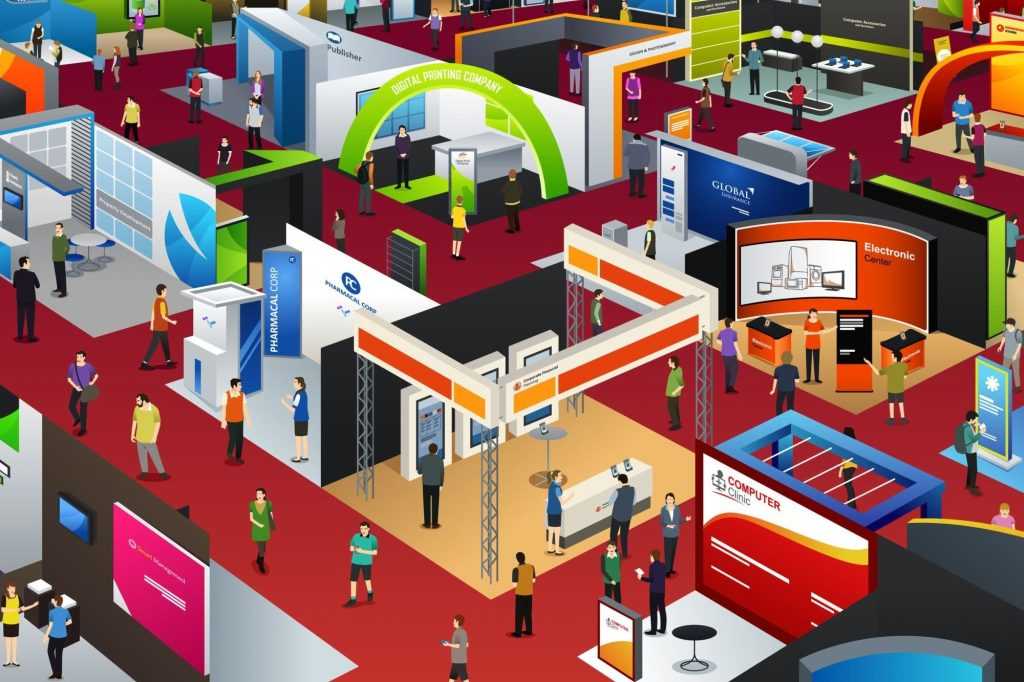

ExpoMarketing is among the most effective ways of turning your prospects into clients. However, to actualize that, you will need to employ specific and well-thought strategies designed to appeal to them. The current or emerging trends are one of the methods that should help you make a substantial impact on the market. 

If you are a business owner or marketer and thoughtful about maximizing your exhibition ROI, you should understand that a majority of B2B marketers agree that statistics play a vital role. It has been noted that a whopping 90% of exhibition attendees align with specific products based on the perception they will make of the booth. 

To help you make the most out of the expomarketing and eventually grow in the industry, you will need to focus on making an impact on your prospects. And that is as simple as paying close attention to the result-oriented trends. They include;

  1. Advanced technology

Technology is ever-evolving, and deciding to incorporate and use hi-tech systems has taken customer experience by storm. Beacon technology, virtual reality, and artificial intelligence are some forms of advanced technology that can be effectively used to improve customer experience. Take artificial intelligence as an example; it can help in virtual sales assistance and chatbots that will enhance security through systems such as voice and facial recognition.

  1. Customer-centric approach

Today, successful exhibit marketing is not all about creativity in stand designs; it has a lot more to do with the overall customer experience. For a reason that narrows down to what makes your brand extraordinary at the exhibition, connecting with your prospects or customers on an emotional level will create a good rapport with them. 

Everything in your stand should be innate towards actualizing a common goal. Being clear to the potential clients on how they will benefit will result in them making more informed decisions. This can be realized by using graphics or displays. In simple terms, the whole idea behind this trend is focusing on the customer experience and not the exhibition size. 

  1. The un-booth

The days when typical exhibition stands with simple graphics attracted customers are long gone. Today, clients are wooed more by the fresh ideas exhibitors inject to their stands. Some of the most excellent un-booth ideas include food/bar counters for prospects to relax, mobile phone charging stations, and a relaxed environment for attendees to make them feel at home.

  1. Multi-sensory experiences

Connecting all the senses can be used to make lasting impressions to the attendees of the exhibitions. Today, exhibitions have gone beyond concentrating on sounds and sights. Depending on the products or services being exhibited, exhibitors are making use of all the five senses to improve the prospects’ experiences. 

  1. Connecting socially

Although social media is not a brand new concept, they can play a vital role in enhancing the impact of the exhibition either before, during, or even after. They help in communication, as well as gauging the impact the exhibition is having on the masses. 

Conclusion  

If done the right way, expomarketing goes a long way in attaining the goals of an organization. One of the ways of doing it right involves understanding and applying the current and emerging trends.

Big Data is changing the world for the better. Now many restaurant businesses are using big data to understand their customers and to satisfy them with better services.

They are using their data to personalize the marketing and to go through the deep of the demographic dives.

The emerging chains and leading names in the industry are considering the data-driven analytics to get better exposure and dominate the competitors with enhanced customer satisfaction.

Some restaurants are using ServiceNow consulting for the better integration of data. ServiceNow is an automation system that automates the operations by creating a single system for all business processing. It will boost productivity and will ensure faster employee inquiry while meeting the security needs of the business.

How Restaurants Are Gathering Big Data

Restaurants are using advanced technologies to record the big data and utilize them to boost the efficiency of their businesses and to offer a better experience to their customers. The data involves everything ranging from placing orders to making payments.

Now restaurants are using digital tools such as ServiceNow consulting, mobile apps, kiosks, and table-side tablets. They are trying to offer more convenient and fast options for ordering and easy and secure payments.

These modern devices can ensure greater personalization and customization by collecting data from the previous behavior of customers. Restaurants are using qualitative analytics to create customer purchasing profiles.

These profiles are handy for the growth of a restaurant business. Also, it can offer more suitable options for customers.

Once they know the liking and disliking of a particular customer, they can design the service accordingly to create a more appealing environment for that specific customer. As a result, customers will be more satisfied and will certainly prefer that restaurant over others.

By using the data-gathering sensors, restaurants can track the customers, guests, and employees and can use the data to boost the overall efficiency of the restaurant.

These data will improve the guest experience and ordering process while minimizing the waiting time. They are also using the Internet of Things. As a result, all the devices, including the kitchen tools and appliances, are connected to the data gathering tools.

They are using the smart kitchen tools to monitor the food preparation and inventory that ultimately offers better order accuracy as well as improved efficiency.

The multiple sources of data enable restaurants to make smart decisions related to their businesses and customers. They are now focusing on easy data integration to get useful data warehousing.

Boosts the Sale

Restaurants are gathering data from different sources, including restaurant inventory, restaurant SEO marketing, and even sales data. All these data help to gain insights into the customer behavior and efficiency of the restaurant.

They use the data to offer personalized services to boost the experience of their customers. All these efforts lead to enhanced customer satisfaction. Improved customer satisfaction is a must to increase sales.

Provides Better Efficiency

The big data not only helps to offer customized solutions to customers, but it also plays an vital role in boosting the efficiency of restaurant service. Larger restaurants use different data sources and maintain around ten and even more software vendors for the proper integration of the data.

Data from all these software offer valuable insights independently. Restaurants are analyzing the data of all the sources and are using them to find better opportunities. Also, data integration and independent data enable them to discover the areas of improvement. They can consider some changes to get better exposure.

Prepares for the Future

A restaurant business needs to act smart to dominate the industry and to satisfy the present customers and grab the attention of new ones.

For this, they need to prepare the roadmap. They need the data of the present and past to focus on the future. It will help to decide what they should do next to satisfy customers.

Big Data will help to gather and analyze the data to create actions for staff or managers. Big data will offer the required insights and will enable them to work more efficiently for the benefit of restaurants.

Big Data is helping restaurants in more than one way. By effectively interpreting the data and putting them into action, restaurants can meet the expectations of customers and can achieve the desired success.

The construction industry has taken a paradigm shift, and there’s no reason why we shouldn’t expect more. Many new technologies help to boost work efficiency and site health. Not to mention, contractors are always looking for ways to reduce costs. Here are five crucial trends for construction technologies.

1. Augmented reality/Virtual reality

Virtual reality (VR) and augmented reality (AR) technology have taken over the construction industry. VR helps to replace the real world with a simulated environment while AR shows a user-generated image on a view of the world. Since buildings are becoming complex, these technologies can help to detect errors.

2. Drone-based supervision and inspection

Drones are used to monitor and inspect construction projects. They are programmed to sweep mega projects in a matter of hours.

Besides that, they can assess constructions from viewpoints that are inaccessible to humans. That way, it’s easier to detect any issue that may be hidden on sight. Drones also enhance safety – they work without exposing the surveyors to injury.

They can inspect hard-to-reach places and supervise many projects simultaneously. Today, many construction industries are slowly embracing this technology.

3. Automation

The scope of automation in the construction industry is broad. With the adoption of data-driven technology, you’ll find embedded sensors on a work site.

This creates enormous opportunities for managing data on safety and operational workflow. What’s more, there are smart devices that give a clear picture of the construction progress.

An excellent example of an automated device is the Orion road flare. These lights give signals in case of an emergency. If you have an ongoing road project, the road flare will illuminate the surrounding objects.

The light can be seen even during rainstorms. Orion road flare is an essential toolkit that is universally recognized for emergencies. When drivers see a flash on the road, they immediately know they show slow down and pay attention to the construction project.

Another automation technology is the internet of things (IoT) sensors. They collect relevant data like pressure and temperature to allow construction firms to automate machines and robots.

Most construction companies are now using a robotics installation system for elevators. Also, devices can be connected and equipped with telematics to know the exact location of construction trucks. This prevents theft and enhances fleet management.

Robots offer numerous advantages in the construction industry. They are cheaper and can get the work done quicker.

With robots, you can expect construction activities like cutting, welding, and dispensing to be fully automated. And because these machines work with efficiency, they remove human error and inconsistency.

4. Cloud services and data storage

Sometimes, contractors work under pressure to meet the project deadline. They also face the challenge of cost management and scheduling. With cloud technology, contractors can set the pace of work to ensure the projects are completed on time. The on-site workers may need the latest information, but it’s not available for them.

Today, construction companies can deploy their data centers, which require ongoing support from the IT staff. Thankfully, companies can get access to the IT infrastructure by paying a subscription fee. Apart from storing a large amount of data, the information can be accessed by various devices.

In the construction industry, you’ll find engineers, consultants, suppliers, product manufacturers, and contractors. All these entities must work together to complete the projects on time.

With cloud technology, construction companies can manage the assets along with the field service. Typically, engineers should plan and oversee a construction which can be time-consuming. To overcome this problem, data must be stored in the cloud. Of course, the technology of cloud computing gives construction companies a competitive edge.

5. Building Information Modeling

If you think BIM revolves around 3D modeling, well, it’s more than that. Over the years, BIM has undergone digital transformation. This technology promises to tackle problems like project delays, budget overspend, and quality control issues.

When BIM is incorporated in engineering software, it allows for collaborating modifications. The construction team and consultants can now maximize time and money to reduce any friction in a project.

With building information modeling, you expect improved communication and teamwork. Secondly, it provides real-time access to information and allows for analysis by the team members. And when a project undergoes design modifications, you can easily refer to the earlier model.

More specifically, BIM presents data to the whole team and helps to foster coordination between designers and engineers. BIM also allows for 2D schematics and 3D modeling.

Final thoughts

The above trends for construction technologies are the next big thing in the construction industry. If you’re in the quest for efficiency, quality, and improved safety, then these are the trends to watch.

Flvto is basically a music converter and utilizes the media formation technologies in order to convert existing audio files in Mp3 format. The MP3 format is is comprised of several compressed audio files, audios that has been compressed into tiny files that can fit into the MP3 music players. The app can also perform this deed from any video formats and which is why it is a very good and handful app to keep in repertoire. It can achieve the comprehensions without even sacrificing the audios or videos original sound quality and in many instances depending on the capacity e of the MP3 music player; users can feet save thousands of songs when converted via the app.

Convert videos and audio files into MP3 format

The app can convert videos and audio files into MP3 format for around 20 mbps which means for a video of 1 hour length can be converted within a minute which makes the app for more convenient than others. It is a very easy way to turn files into audible content that are not graphically overwhelmed however, that’s not the best part of this app. More importantly the app can FLV Converter audios and video files into MP3 format directly from YouTube.

Why should you consider converting music files directly from YouTube?

Most of the apps are not trying to compete with YouTube, however not have been able to do that so far as it is a platform which is not only acclaimed by almost all the smartphone users but more importantly YouTube can be used by everyone in the same manner and hence it provides the opportunity for anyone to join in that particular platform. Using YouTube is as much part of the modern generations life as Facebook which is why being able to download music files from YouTube is not only for convenient but there are many more benefits which simply cannot be availed in any other musical app.

Downloading a video into various other formats

YouTube profiles the option of downloading a video into various other formats then which was originally song by the real author, composer and singer; that means a single song can have various other versions and if someone is willing to learn any instrument he or she in might find the instrumental versions from the YouTube.

What makes Flvto so special?

Flvto can not only turn audio files into MP3 format but because it can directly convert any audio of video file into MP3 format it has The Upper Hand of providing many more entertaining options to the audience. Firstly, using YouTube can be a great way of learning a new language and for the practice one can download several audio books that are available on YouTube in abundance.

As the Days Go By more and more YouTube channels are freely providing Educational videos and audio files that can be listened and be benefited from. There also several compilations file that are already like a great collection of a particular band or musician and converting them in Mp3 format is very convenient for any long journey.

A daycare app is important not just for parents but for teachers as well. The importance of a daycare app for teachers are as follows:

  • Making the management easy-The first importance of a daycare app for teachers is that it makes the management of the students easier. The teachers updates all the information including the attendance of the students on the app and this makes managing the students easier.
  • Ease of communication- Prior to the development of daycare apps, if the teacher wanted to communicate anything about the student to the parents, then they had to write a letter individually to all the parents or wait for the parent and teacher meet to communicate that information. But now a daycare app makes it convenient for the teachers to communicate with the parents instantly.
  • Updating the parents- Along with communicating with parents, teachers can also send notifications or alerts and updates to the parents about their performance and activities.
  • Performance checker-A daycare app acts as a performance checker for the teachers because with the help of these apps the teachers can check the performance of the students and can deliver the same to the parents. If they feel a child is not performing up to the mark then they can focus more on that child so that the child starts performing better.
  • Working on the weakness of the kids-A daycare app also tracks the development of the kids. This tracking helps the teachers to understand the weakness of the kids. Not all kids are the same and every kid has their own strengths and weakness. Some kids may be a slow learner whereas, some may have fast grasping power. So, daycare apps help the teachers to understand the position of all the kids and if any kid is lacking somewhere then it is the duty of the teacher to focus on that weakness and pull them forward and make them ready for their future.

How Remini App helps the teachers

Remini App is one of the best daycare apps which provides the teachers all the above-mentioned facilities. Remini app is a very safe and secured app to communicate. It also helps the teachers to record the attendance of the students so that it becomes easy for them to administer the students. To know more about the remini app you can watch testimonial reviews on remini application as linked and as you know testimonials are very important.

Summary

To summarize, a daycare app is very important not just for the parents but also for the teachers as it helps the teachers to assess the performance of the kids and focus more on the kids which are a bit slower than the other kids. To assist them in better administration, remini app is the most capable app and has the ability to help the teachers in making the future of the kids bright.

Buying a notebook is often a challenging task. A model that is too cheap may end up not getting what you need. On the other hand, an expensive computer can make you spend money for nothing. An intermediate option seems to be the smartest choice, but this is not always true.

To choose the notebook best suited to your needs, it is important that you analyze the main characteristics of each model evaluated. But how to do that? In the next lines, you will find 12 tips that will help you choose a laptop. From https://thetechdj.com get all details.

RAM memory

RAM memory: in general, the more your computer has the better. The problem is when the amount of RAM is insufficient. For a Windows 10-based computer, the minimum recommended is that the notebook has 2 GB of memory.

But, for more consistent performance, the ideal is that this machine has at least 4 GB of RAM.

If you can count on 8 GB of RAM, go ahead: performance tends to be even more fluid. The only thing, however, is that notebooks with this amount of memory are often considerably more expensive.

For those with a tight budget, a tip is to check with the manufacturer or seller if it is possible to expand the RAM of the notebook. So, you can buy a model with 2 GB or 4 GB of RAM and increase that amount later.

Processor

Very powerful processors will handle almost any activity, but they tend to make the notebook too expensive. Therefore, laptops with these chips are more suitable for those who work with heavy programs (such as video editing tools) or run a lot of software at the same time.

If you need a computer for simple tasks – like accessing the internet, using Microsoft Office and playing videos or games that are not very demanding -, a notebook with an intermediate processor may be the most cost-effective choice.

The processor options are practically limited to two brands: Intel (market leader, therefore, present in more models) and AMD .

Intermediate to basic: Ryzen 3

You can also find notebooks with input processors, including Intel Pentium, Intel Celeron and AMD Athlon. These laptops are usually inexpensive, but beware: they tend not to perform very well. For this reason, these templates are only suitable for those who only perform simple tasks on the computer, such as text editing and web browsing.

Battery

  • Check the notebook’s technical sheet for the time that the manufacturer estimates that the battery can last with a full charge. Ideally, the component’s autonomy should reach at least four hours.
  • If you’re going to use your laptop outside the home or office often, it’s worth buying a notebook with more battery life at least six hours.

For those who spend a lot of time carrying the equipment, it may be worth buying an ultra-thin notebook (ultrabook). Laptops of this type are almost always expensive, but they generally perform well, are lightweight and have a battery life of several hours.

In today’s world robots are quite simple devices. Some of the simple tasks that our bodies execute such as picking up something are a tad difficult for robots. The human brain is capable of processing thousands of bits of data in a split second so that the action of picking up something does happen.

Robots unlike humans are not born but rather built. They are forged by industrial robot manufacturers from common materials. This is not the case for robots used in clean room applications such as space exploration programs. These utilize special materials such as carbon fiber and titanium.

Regular robotic arms will be forged using cast iron, aluminum or steel. Moving robots will be fitted with rubber tires for grip on the floor and silent mobility. Exposed areas of the robot are covered with shields made of neoprene. Controllers on the other hand are housed in steel electrical enclosures close to the robots working space.

Steps of the manufacturing process

This will be an in-depth review of the various steps that are taken during the manufacturing process. These processes include; design, fabrication, assembly, wiring to the controller and installation

Design

The design phase is where every robot begins. Various factors will have to be put in consideration during this phase: length of reach, speed of operation, path of travel, human involvement, and hazardous materials involved among others.

Most manufacturers have a basic design that is a base for all other designs that will stem from modifications on the basic design in order to meet the requirements. Robots like any other forged item cannot do something they were not built to do. They are most effective when handled by qualified technicians and the processes and overall system are well thought out.

Fabrication

Fabrication of the various parts: supports, arms, columns and the base occurs once design is completed. The base is stout to stop the robot from tipping over. It is forged by welding or casting.

Parts that merge with the rest of the robot are machined with attention to detail to ensure that they are a custom fit. Likewise the arms are forged to fit perfectly to the end product.

Assembly

An industrial robot can comprise of over 2000 independent fragments that require assembling. Assembly is carried out by a significant number of procured items such as controllers, wiring, bearings, hydraulic cylinders and electric motors. The base is the foundation of assembly of parts into the robot until its ready for testing.

To kick start the assembly procedure mobile robots have axles, motors, wheels and batteries mounted. Standstill robots do not necessitate these parts. The mobile columns are sub forged with their respective drive motors and encased to the base.

Wiring to the controller

As and when the mechanical assembly has been finished the plumbing and wiring can be completed. All the electrical parts and sensors should have powered wiring and convey information back to the computer. At times the naked space on arms provides for an ideal location to mount controllers.

If a robot is not mobile the controller should be fixed at a distance and is linked to the robot by a cable. Once assembly is completed the arms are at times encased with shields to shelter them from welding marks, paints and corrosive materials as well

Installation

This is carried out at the client’s place. Immobile robots will be fastened to the ground using bolts whereas mobile robotswill have wiring etched into the ground for smooth movement from task to task.

Some designs incorporate video modules. Immobile robots should be secured in a room or fence so that unsuspecting individuals do not come into contact with them and get injured. The manufacturer will then relay maintenance and operation knowhow to the client.

Conclusion

To sum it all up robotics is one of the most rapid developing areas in the machine market. That said advancement in technology makes old machines obsolete. However, the Japanese are building machines capable of learning and hence do not become obsolete in the near future.

Promote your music

When you have high-quality music in your bag that will take you to the skies then there is no perfect way of ensuring that you will get lots of Plays when you upload new tracks on SoundCloud automatically. The other thing you can do when you can’t able to get followers and Plays is just buying some SoundCloud Plays from trusted Sites such as Galaxy Marketing. All you have to do is get a purchase from a real site to buy SoundCloud plays.

The things happen when you buy Plays from a trusted source is that your songs or music will get most Plays on the platform when listeners see that you have many Plays on your music already. This technique will work the best for the music of a newcomer so that they can able to gain some momentum and increase the popularity and get attention.

Enhance the chance of getting signed up

When you providing high-quality organic music to your listeners on SoundCloud will make your dream comes true of getting Singed Up with popular record labels and music companies. This step will take you to the peak of success on SoundCloud and in the singing field.When you purchase some Plays for your SoundCloud account then you can able to attract attention to the listeners and those listeners will start following you and make your music viral. When you reached this level of success, you may be invited to do stage shows and get spotted on a record and music label. Soon you will achieve all the popularity by playing smart with your music and work on SoundCloud.

Boost your social identity

Buying SoundCloud Plays from a legit and organic site such as galaxy marketing will take you to gain some fame and popularity by the listeners on SoundCloud. The impression that you create it with your music will attract other users as well towards your profile on the same platform so that you can able to boost your social identity and credibility. Buying SoundCloud Plays will help you to get the fame that helps to give social proof and makes you feel like celebrities on the social media platform but all you need to provide a good, organic, and high-quality music.

Attract more listeners and get plays

All users will agree on this that the listeners will love to listen to the music that is on the trending list or have the most plays. The simple reason is that it gives an important idea that the music could be very interesting and worth to consume time to listen to the songs that are on the trending list. So when you go for the steps to buy SoundCloud Plays for your songs or recordings, you will have a huge chance of getting more followers and Plays since the listeners will attract more users towards your music. One more important thing that has to do is never disappoint your listeners and the level of your popularity otherwise you may end up ruining your fame and followers. So, you must provide high-quality organic music always.

There has never been a simpler method to scale your Plex hosting server. Plex is the main WebOps hosting stage to run, mechanize and develop applications, sites and hosting organizations. Being the main OS rationalist stage, Plex is running on in excess of 384,000 servers, robotizing 11M+ sites and 19M+ post boxes. Accessible in excess of 32 dialects across 140 nations, half of the best 100 specialist organizations overall are banding together with Plex today. Learn more about the Plex hosting click here.

Plex has rearranged the life of SysAdmins and SMBs since the mid-2000s and keeps on including an incentive over numerous cloud administrations. The plex hosting stage viably empowers application designers by giving access to a basic and progressively secure web foundation oversaw by web aces and hosting organizations.

Plex-V has 4 sizes and you can scale upwards as you need:

  • Plex-V1 – 1 CPU, 2.5GB RAM, 30GB framework, 1TB adaptable media.
  • Plex-V2 – 2 CPU, 5GB RAM, 60GB framework, 1TB adaptable media.
  • Plex-V4 – 4 CPU, 10GB RAM, 120GB framework, 1TB adaptable media.
  • Plex-V8 – 8 CPU, 20GB RAM, 240GB framework, 1TB adaptable media.

The media plate is adaptable from 1TB (included with base bundle) to 500TB with zero vacation.

Different highlights on Plex Hosting media server

Using a facilitated Mac at MacStadium to run a Plex media server is an incredible arrangement! Plex sorts out video, music and photographs from individual media libraries and streams them to brilliant TVs, gushing boxes and cell phones.

Plex hosting is pressed with numerous highlights intended to make your media experience simple and pleasant. Plex is a media player framework and programming suite comprising of numerous player applications for UIs and a related media server that arranges individual media put away on neighborhood gadgets.

Make your media excellent by means of its interface.

  • Monitors your Media.
  • Makes your Media accessible on almost any gadget.
  • Consequently, transfer your photographs.
  • Line recordings and music for nonstop playback.
  • Associate with your big screen for film seeing.
  • Offer your media with loved ones.
  • Making your media reachable even hen you are most certainly not.
  • Stream your media legitimately from your facilitated Mac.
  • Access your preferred online substance from spilling administrations.
  • Spare it now and watch it later (DVR).
  • Appreciate world-class DLNA support.

A Promising Future for Cloud Developers

The overall engineer advertise comprises of over 20M cloud designers who are searching for access to quicker, increasingly secure and productive frameworks. The plex vision is to continually lift client and accomplice gainfulness by furnishing them with a cloud stage that awards application engineers a prepared to-code condition.

Other than disentangling multifaceted nature, plex hosting builds its endeavors to empower clients and accomplices the same to expand and redo plex as an open hosting stage. The rich biological system of plex expansions not just gives access to considerably increasingly pertinent highlights focused at explicit crowds, yet in addition permits specialist co-ops of any size to produce one of a kind upsell opening.